


The biggest mistake beginners make in time-lapse photography is leaving the camera on "Auto."
If you use Automatic White Balance (AWB) or standard Auto Exposure, your final video will suffer from "Flicker"—a distracting strobing effect where the brightness and color shift rapidly between frames.
This guide explains how to set your camera correctly to achieve smooth, cinematic footage, and how Farpov's smart algorithms handle the difficult "Day-to-Night" transitions.
1. The Golden Rule: Manual White Balance
Never use Auto White Balance (AWB).
In a time-lapse, a passing cloud can slightly change the color temperature of the scene. If your camera is on AWB, it will try to "correct" this, causing the building to suddenly turn orange or blue for a split second.
✅ The Fix: Lock It In
Set your White Balance to a fixed Kelvin value. For outdoor construction sites, 5500K (Daylight) is the standard. This ensures the color of the concrete and steel remains consistent throughout the video.
2. Exposure Strategy: Avoid the "Stutter"
Many people shoot time-lapse with a fast shutter speed (e.g., 1/1000s). This freezes motion, making cars and people look like jittery insects. This is unpleasant to watch.
The "180-Degree Rule" for Motion Blur
To make moving objects (cranes, trucks, clouds) look smooth, you need Motion Blur. You want a slower shutter speed.
Bad: 1/1000s (Freezes motion, looks choppy)
Good: 1/50s (Blurs motion, looks fluid)
Pro Tip: In bright daylight, 1/50s will overexpose your image. You need to use an ND Filter (Neutral Density)—sunglasses for your camera—to darken the scene and allow for slower shutter speeds.
3. The "Holy Grail" Problem: Day-to-Night Transitions
Construction sites run 24/7. How do you shoot a sunset where the light changes drastically?
Manual Mode: Fails. The image will be pitch black at night.
Auto Mode: Fails. The camera will "hunt" for exposure, causing flickering.
Aperture Priority (Av): Better, but still prone to flicker.
The Farpov Solution: Exposure Ramping
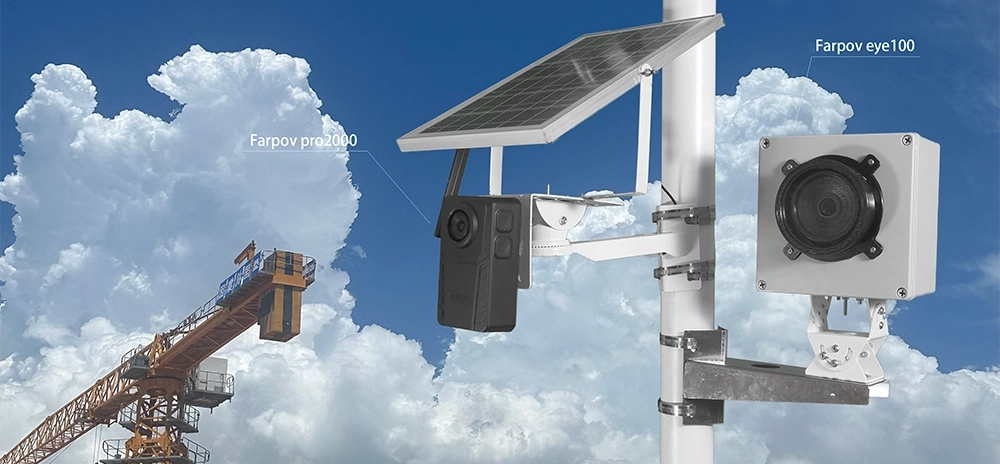
The Farpov Pro 2000 and Farpov Cam Controller use a smart algorithm called "Exposure Ramping."
Instead of jumping from 1/100s to 1/50s instantly, the system analyzes the histogram and gradually shifts the exposure over dozens of frames. This creates a buttery-smooth transition from bright day to dark night without any flicker.

Farpov's algorithm automatically handles the extreme light changes of a sunset.
4. Quick Settings Cheat Sheet
| Setting | Daytime Construction | Night Construction |
|---|---|---|
| Mode | Aperture Priority (with Farpov Ramping) | Manual |
| Aperture | f/8 to f/11 (Sharpest) | f/2.8 to f/4 (Let light in) |
| ISO | 100 (Lowest Noise) | 800 - 1600 |
| White Balance | 5500K (Fixed) | 3200K - 4000K (Fixed) |
| Format | RAW (For editing) | RAW |
Conclusion
Achieving perfect exposure isn't about guessing; it's about consistency.
By locking your White Balance and using Farpov's intelligent exposure ramping, you ensure that your months of footage can be stitched into a seamless, professional video that impresses stakeholders.







 WeChat
 WhatsAPP